Warp — Terminal Dev-Tool
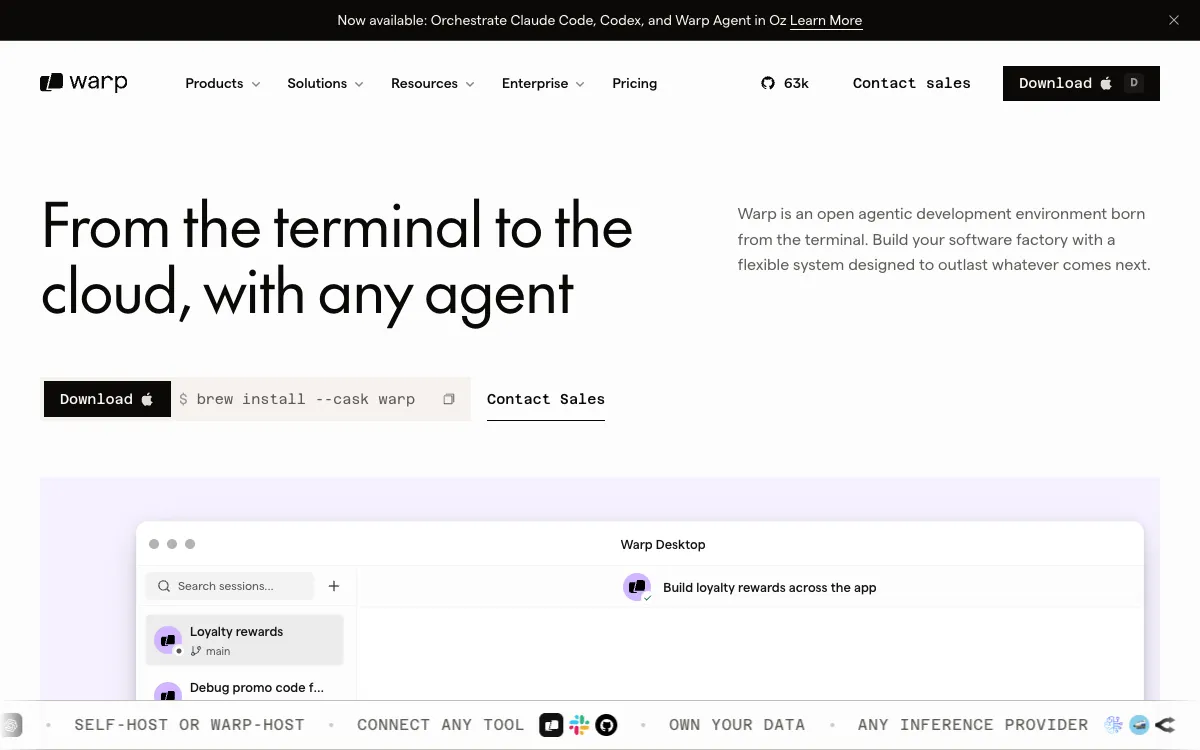
Terminal / MonoDeveloper-native dark UI built around monospace, code blocks and terminal chrome.
- Mood
- For builders. Fast, technical, credible, insider. Speaks fluent developer.
- Colors
- Rich dark base (#0B0D0F), terminal-accent greens/cyans or a brand accent, syntax-highlight colors. Muted grays for chrome.
- Type
- Monospace for code and often for accents/labels; a clean sans for prose. Mono gives instant developer credibility.
- Layout
- Hero paired with a live terminal/code panel, feature rows demoing commands, keyboard-shortcut hints, tabbed code samples.
- Motion
- Typing/cursor-blink animations, command playback, subtle glow on active code lines, quick precise transitions.
- Texture
- Terminal window chrome (traffic lights, tabs), syntax-highlighted blocks, 1px borders, faint grid or glow.
- Imagery
- Mostly coded UI (terminal/code panels via CSS). Generate: stylized syntax-highlighted code screenshots and a faint dark abstract glow. Tool: GPT-Image for code-panel mockups; kie-ai Flux for the background glow.
- Don't
- No cutesy illustrations, no pastel softness, no marketing fluff. Show real code, keep it dense and precise.
Use in a session
warp-terminal
Tell Claude: build [my thing] using swipe ref warp-terminal
Full recreation prompt
Recreate a landing page in the "Warp — Terminal Dev-Tool" style (Terminal / Mono). This is a VIBE / STYLE-TRANSFER task, not a clone: apply the design DNA below to MY content and section structure, do not copy the reference's copy or exact layout.

Design DNA:
- Mood: For builders. Fast, technical, credible, insider. Speaks fluent developer.
- Colors: Rich dark base (#0B0D0F), terminal-accent greens/cyans or a brand accent, syntax-highlight colors. Muted grays for chrome.
- Typography: Monospace for code and often for accents/labels; a clean sans for prose. Mono gives instant developer credibility.
- Layout: Hero paired with a live terminal/code panel, feature rows demoing commands, keyboard-shortcut hints, tabbed code samples.
- Motion: Typing/cursor-blink animations, command playback, subtle glow on active code lines, quick precise transitions.
- Texture: Terminal window chrome (traffic lights, tabs), syntax-highlighted blocks, 1px borders, faint grid or glow.
- Avoid: No cutesy illustrations, no pastel softness, no marketing fluff. Show real code, keep it dense and precise.

Imagery (generate real assets, do not use placeholders): Mostly coded UI (terminal/code panels via CSS). Generate: stylized syntax-highlighted code screenshots and a faint dark abstract glow. Tool: GPT-Image for code-panel mockups; kie-ai Flux for the background glow.

Reference exemplar: https://www.warp.dev. Build the page around the content I give you next, faithfully channeling this aesthetic, and generate the matching imagery described above.